
Navigating the Homepage of CamSoda: Features and Functionalities for Members
CamSoda's homepage is your gateway to a diverse world of models, interactive elements, and personalized pleasure. With intuitive sorting, comprehensive filters, and a user-friendly interface, finding your ideal model or diving into new experiences is just a click or swipe away. Continue reading to help make the most of your time CamSoda:
Sorting and Filters: Tailoring Your View
- On the homepage, you'll be greeted by featured models who are online now, and given the opportunity to customize your feed with our Layout options.
- In our Classic layout, if you've followed models and they're online, they'll be prioritized in your feed. A followed model will display a Heart icon on their room thumbnail.
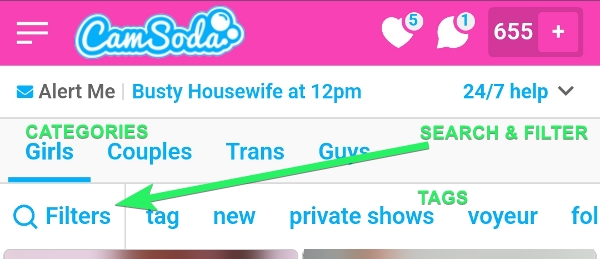
- To refine your exploration, use the categories (girls, couples, trans, guys), tags and filters available.
- Tags are handily positioned above the online model thumbnails.
- We provide AI-recommended suggestions for streams you may like, depending on your viewing history.
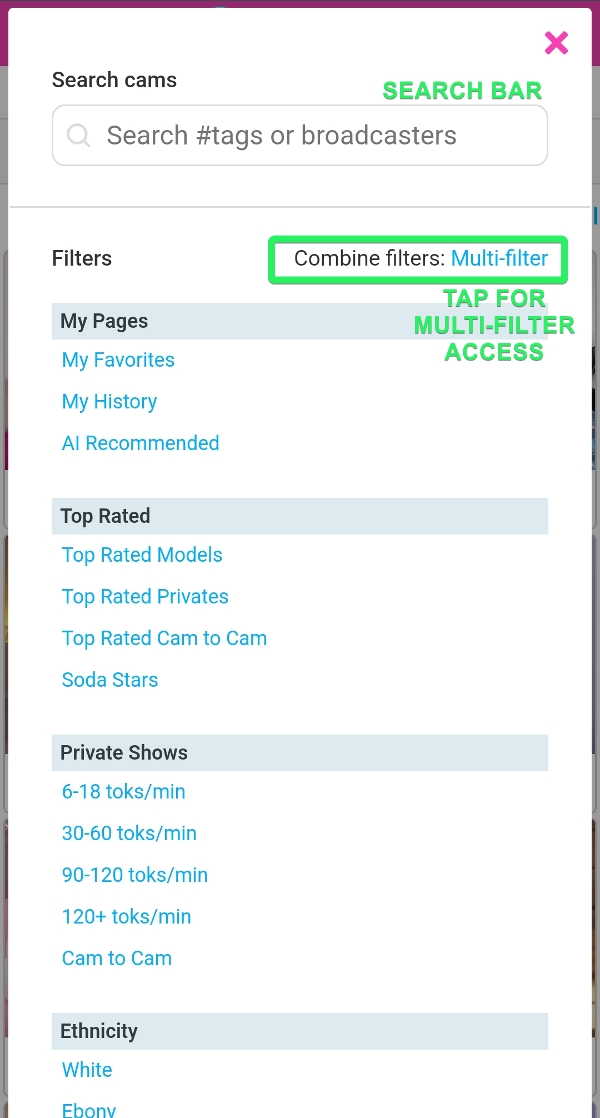
- Filter tools are accessible via the 'filters' bar, and when collapsed appears with a funnel icon.
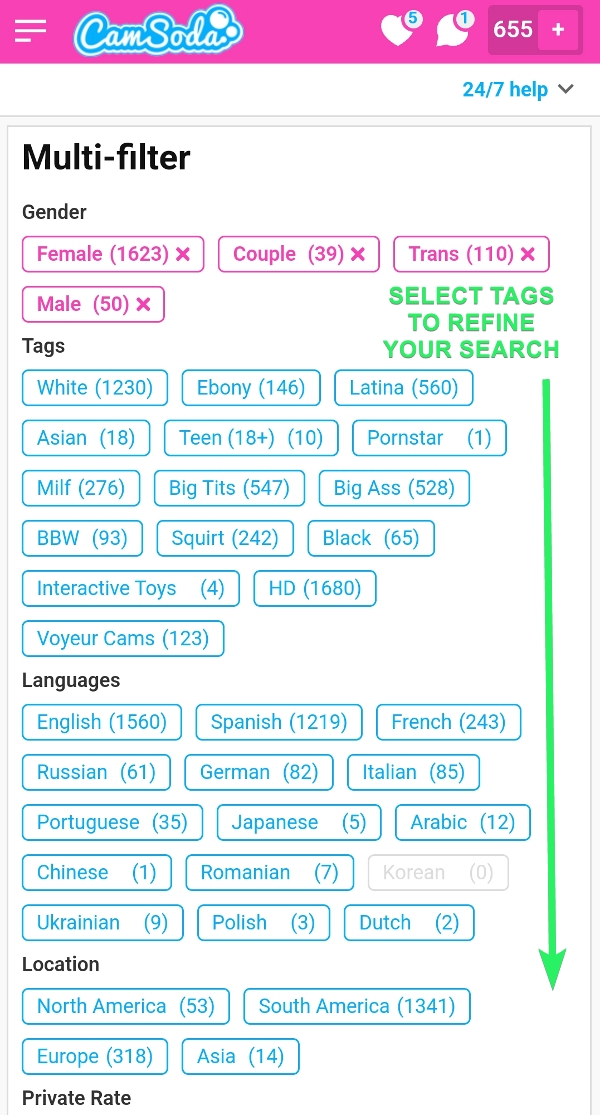
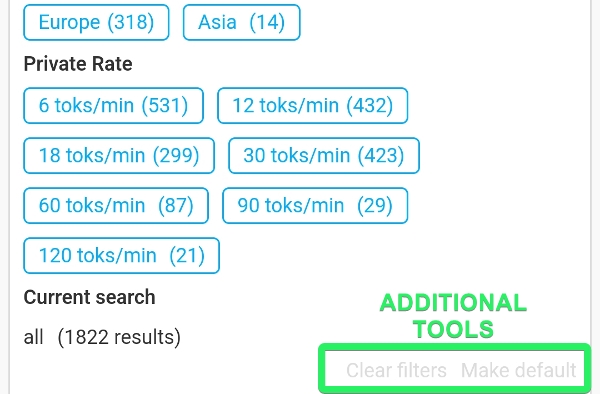
- Tap Multi-filter to combine multiple tags to narrow your search.
- Additional filters include private rate prices, Lovense Control prices, ethnicity, languages, and regional searches
Organize Your Homepage Layout
Tap the Layout dropdown to choose from the following homepage layout options:
- Classic - homepage organized the way you're used to! Featured models, followed models, new models, popular models, etc.
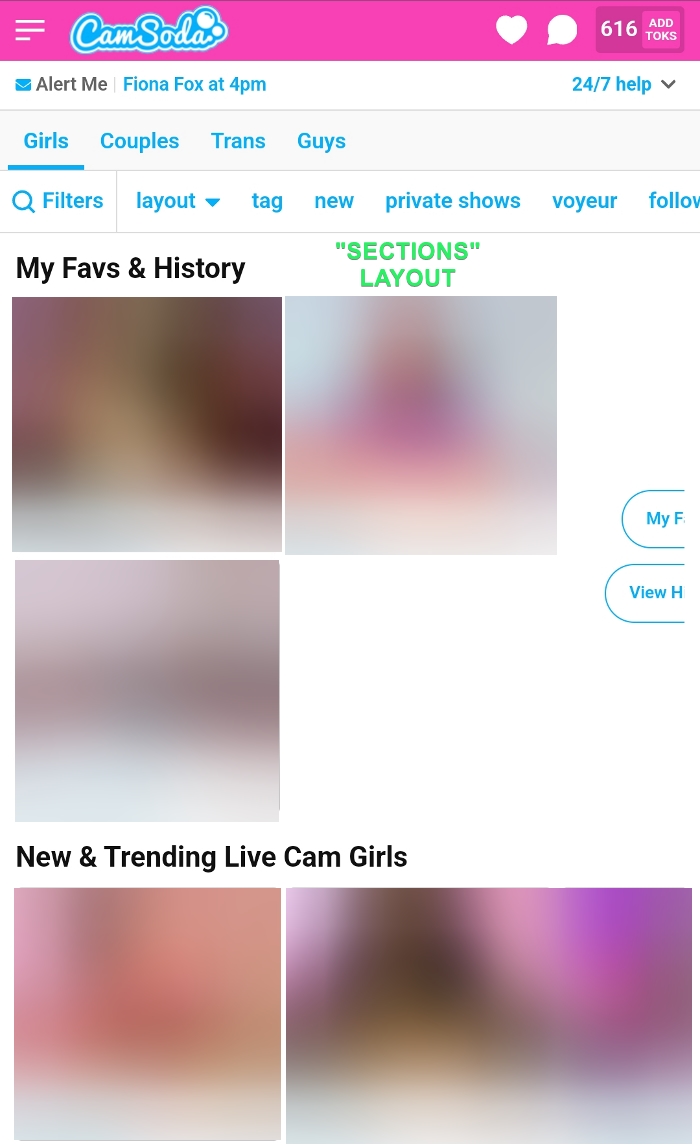
- Sections - homepage organized by section. My Faves & History, New & Trending Live Cam Girls, Regions, etc.
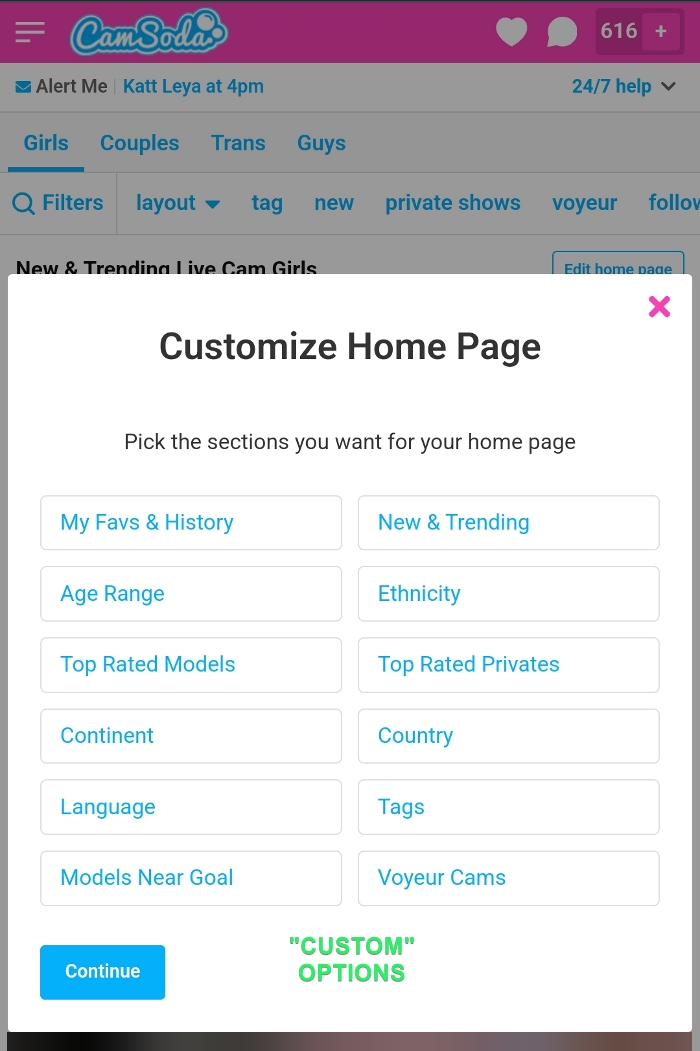
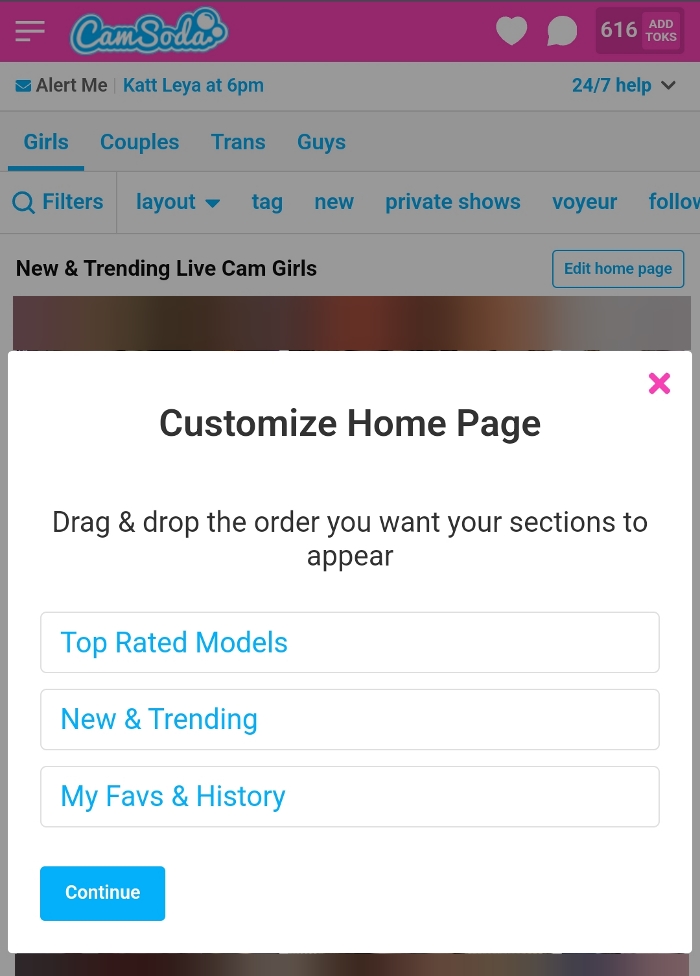
- Custom - homepage tailored to your specific preferences/categories. To customize your layout:
- Tap Custom and select your preferred categories
- Drag and drop to further organize and confirm your choice.
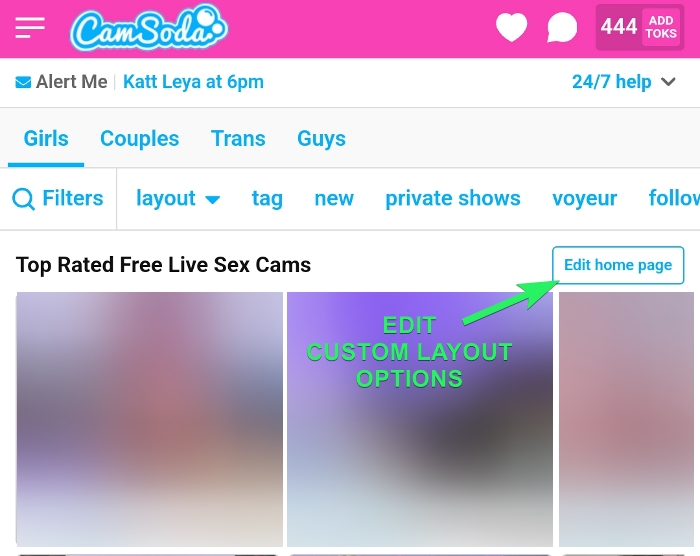
- To make changes to your custom layout, tap Edit Homepage to make your changes
More Ways to Explore:
Mobile Floating Navigation Bar
Navigate with ease with our floating footer containing the Feed, Leaders, Followed, Categories, and History sections.

The Feed
Discover new live models by browsing free preview clips and media.
Browse Room Thumbnails
Model room thumbnails are more than just pictures; they convey critical information at a glance. They display the model's name, the number of current viewers, and the room subject, which may include themes or goals set by the model. Look for special labels indicating whether they're in a private chat or performing a ticket show.
View Soda Stars
Every 60 seconds, a new Soda Star is crowned, signifying the highest-earning model in the last minute. The Soda Star tag is unique to CamSoda. Look out for the trophy icon to see how many times a model has earned this title. You can filter this by models currently online, the past 30 days, or an all-time top 2000 Soda Stars list.
Swiping (swipe to browse)
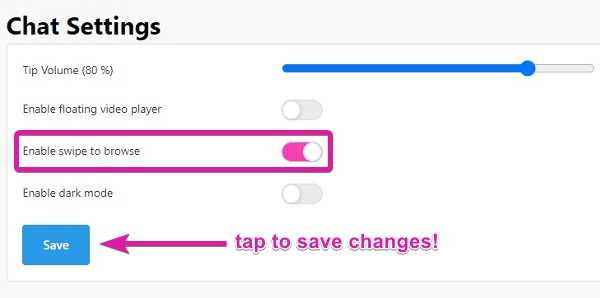
Our 'swipe' feature introduces a novel way to discover models. Enter any model's room and swipe left or right on mobile, or use the arrow keys on a desktop, to seamlessly jump to new rooms. Users have the option to toggle this feature by visiting My Profile > Settings & Privacy > Chat settings and tapping Save to enable changes, or is accessible via the main dropdown menu via mobile.
If you are only able to swipe into a few models' rooms, please check your multi-filter settings to make adjustments, or instead, navigate to a model room from the homepage without any particular filter and swipe.
'AI-recommended' Tag/Category
CamSoda is always adding tag categories for better filtering to help refine searches to ensure everyone can find something that aligns to their specific tastes!
The AI-recommended tag provides results aided by artificial intelligence, based on your previous browsing habits and searches. This will point you in the right direction when it comes to discovering top tier models to suit your personal tastes and style.
Additional Information:
- If a model has blocked you or your region, or vice versa, they won't appear in your search results.